

No results for ""
Market Movers
Find the top gainers, losers and most active instruments across OI, indices, industries and segments using the Market Movers menu in the toolbar. Choose the inputs and columns you need and load the results straight into your sheet.
How to Fetch Market Movers
- Open Market Movers from the toolbar.
- Select the mover type: OI Gainers, OI Losers, Index Gainers, Index Losers, Industry Gainers, Industry Losers, Most Active By Turnover or Most Active By Volume.
- Fill in the inputs shown in the dialog (Series, Exchange, Index Name, Industry, Segment, Top N).
- Choose Auto-Refresh and tick the Fields / Columns to load.
- Enter the Start Cell, or tick New Sheet? to load into a new sheet.
- Click Fetch Data to load the results into the sheet.
OI Gainers & OI Losers
Both options open the same dialog. OI Gainers lists contracts with the biggest rise in open interest; OI Losers lists contracts with the biggest fall.
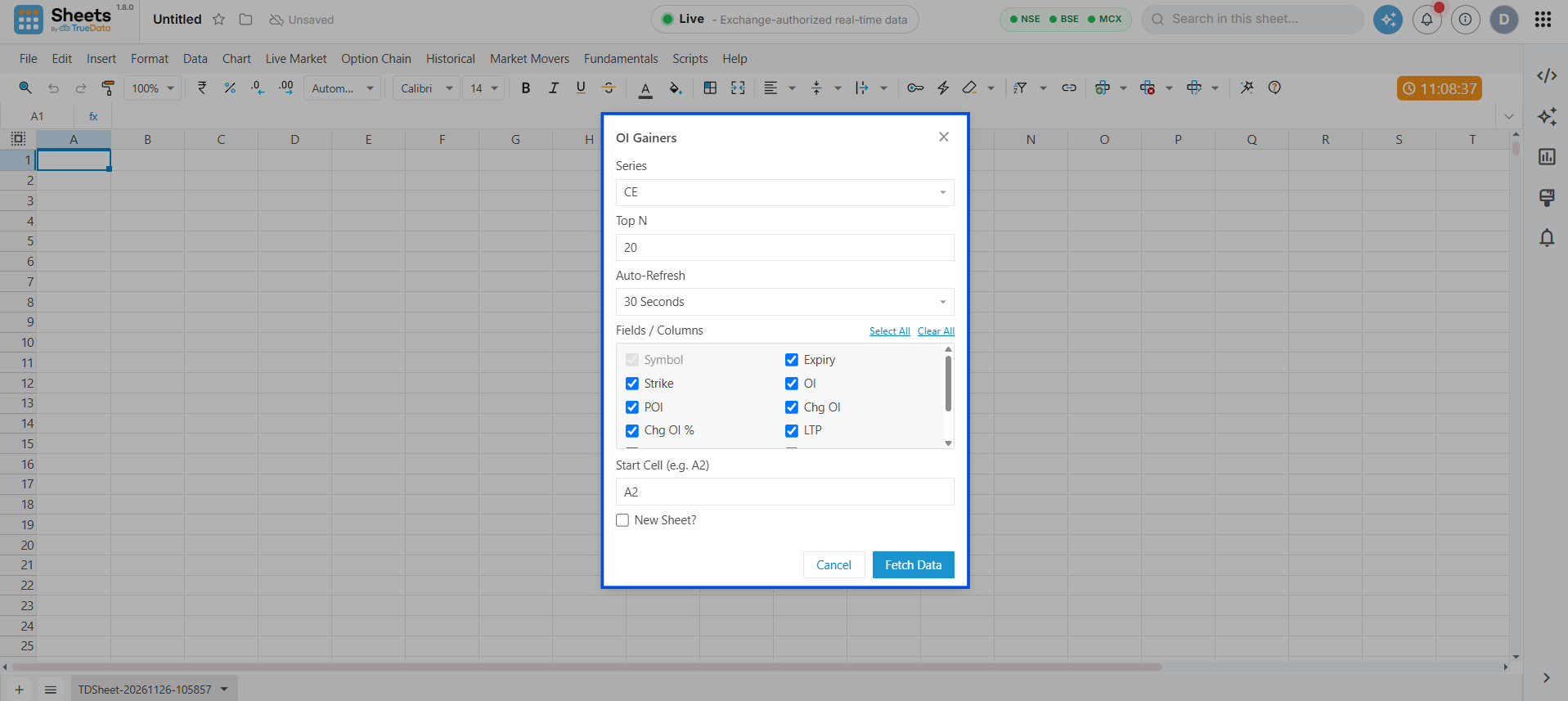
- Series:
XX(futures, default),CE(call options) orPE(put options). - Top N: number of contracts to fetch (default
20). - Auto-Refresh, Fields / Columns, Start Cell, New Sheet?: see Common Options below.
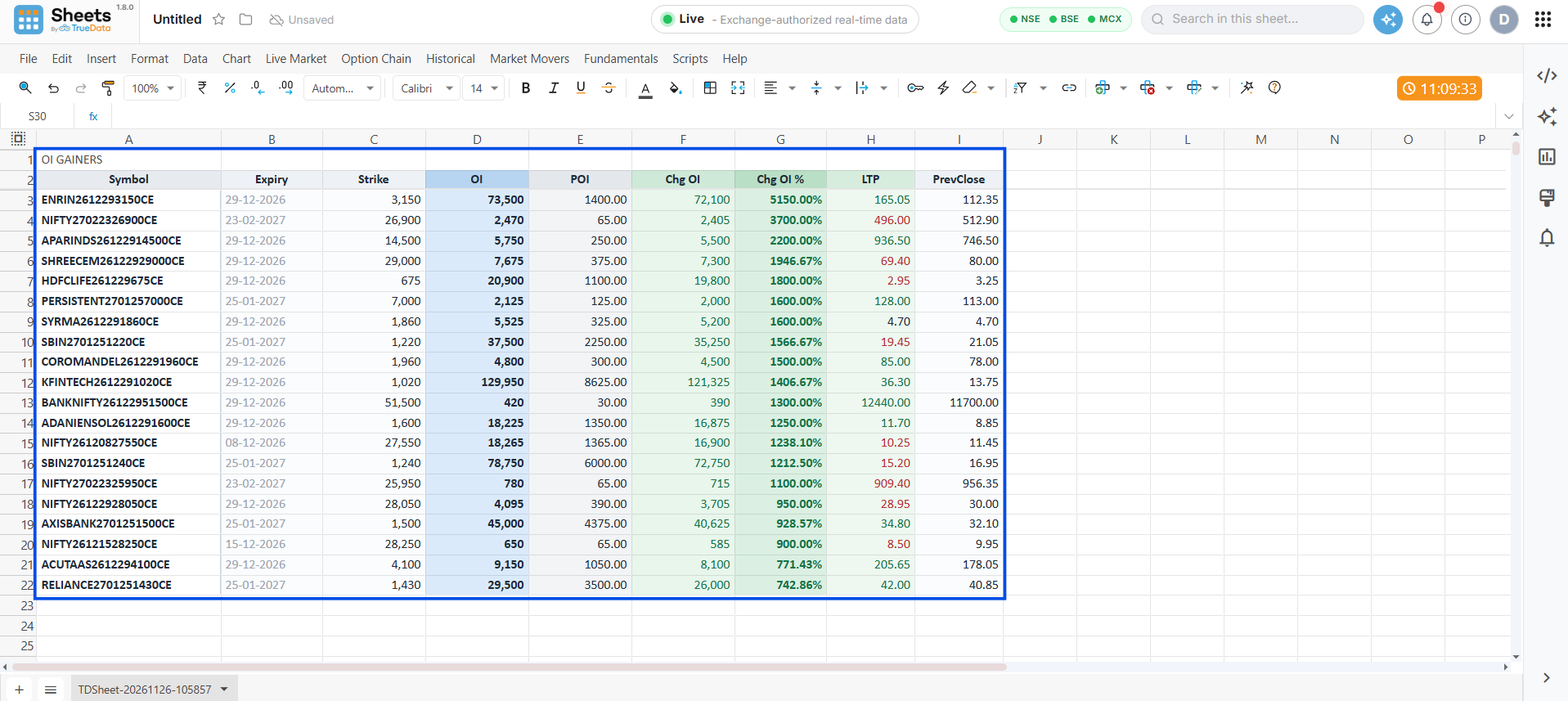
Always included: Symbol
Selected by default: OI, POI, Chg OI, Chg OI %, LTP, PrevClose
Optional: Expiry, Strike, Volume, Timestamp
Index Gainers & Index Losers
Both options open the same dialog. Index Gainers lists the top gaining constituents of a selected index; Index Losers lists the top losing constituents.
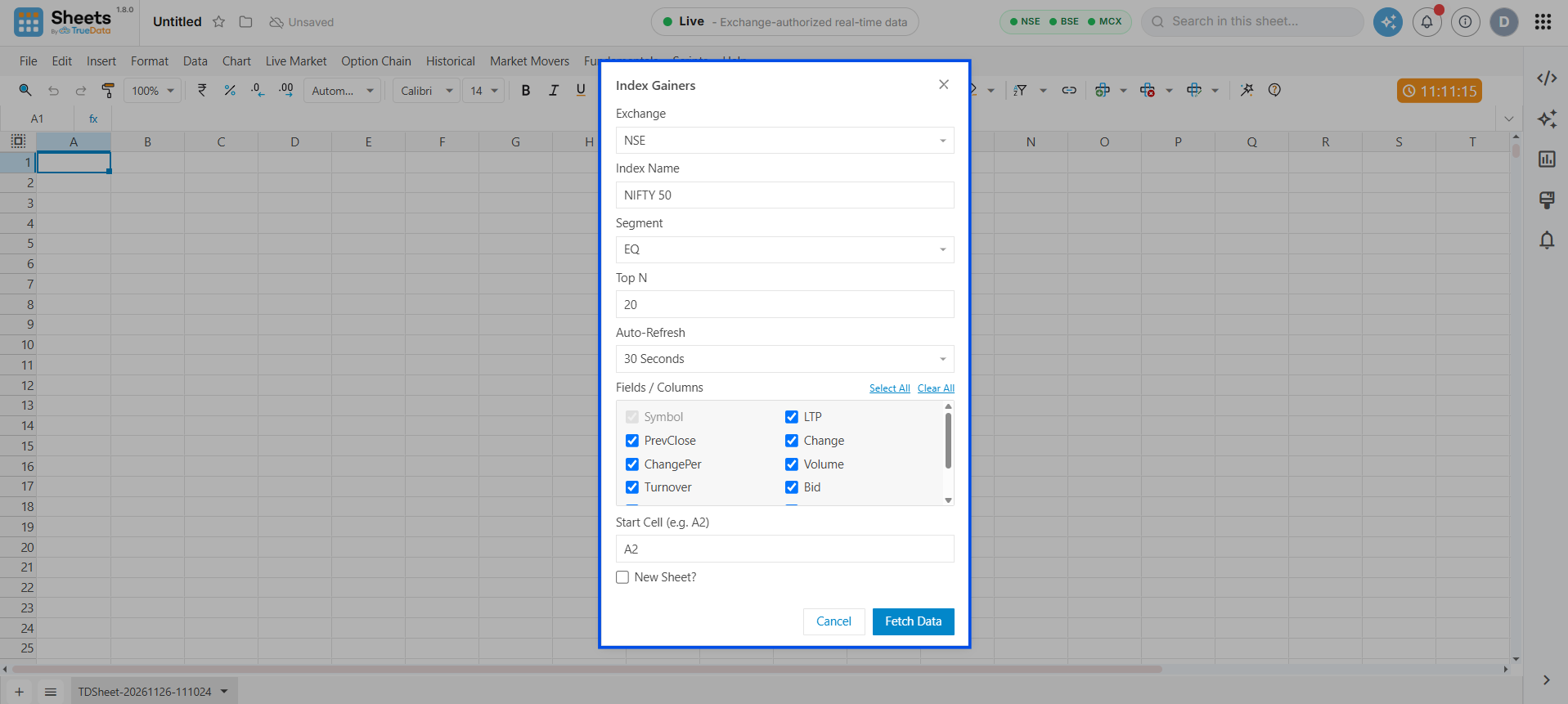
- Exchange:
NSEorBSE. - Index Name: the index to scan, for example
NIFTY BANK. - Segment:
EQ(equity, default) orFUT(futures). - Top N: number of results to fetch (default
20). - Auto-Refresh, Fields / Columns, Start Cell, New Sheet?: see Common Options below.
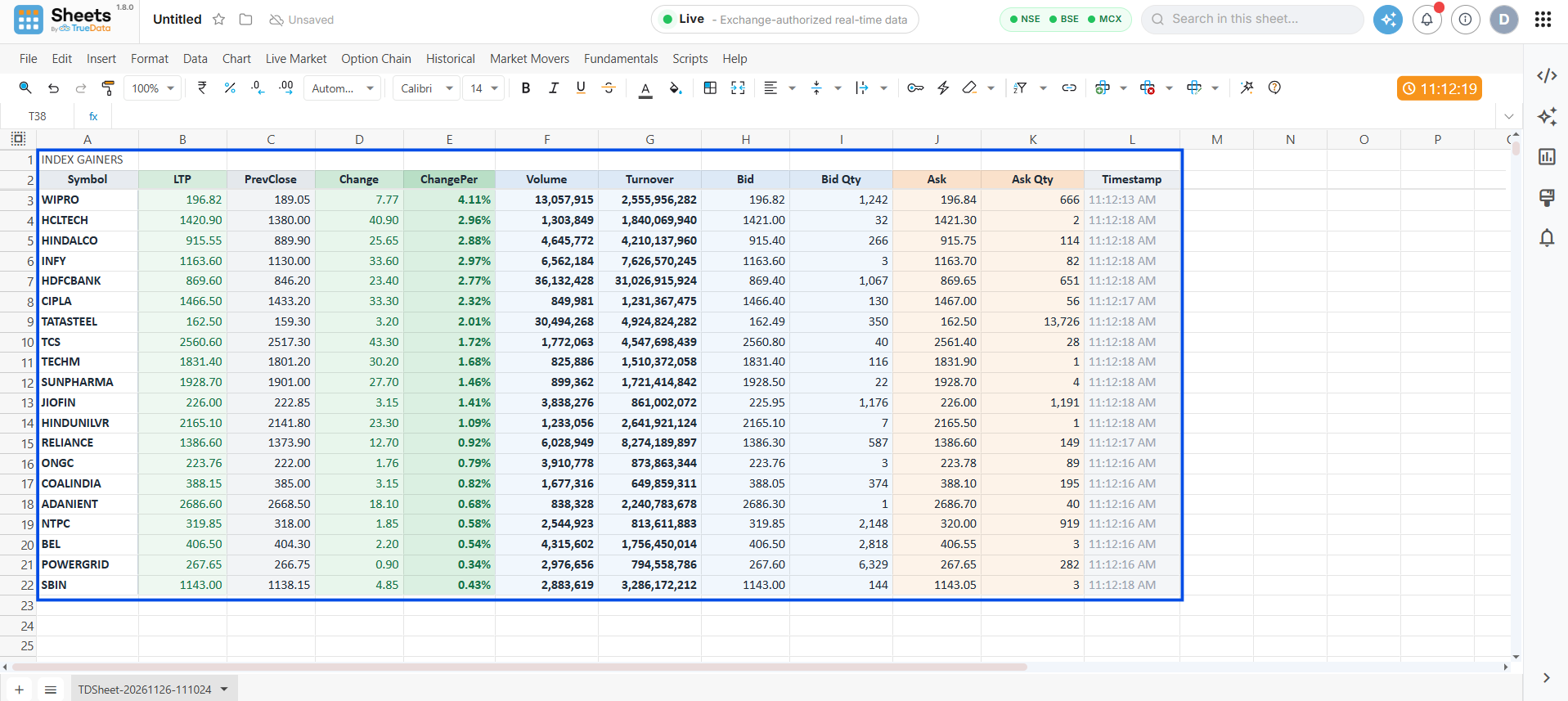
Always included: Symbol
Selected by default: LTP, PrevClose, Change, ChangePer, Volume
Optional: Turnover, Bid, Bid Qty, Ask, Ask Qty, Timestamp
Industry Gainers & Industry Losers
Both options open the same dialog. Industry Gainers lists the top gaining stocks within a selected industry; Industry Losers lists the top losing stocks.
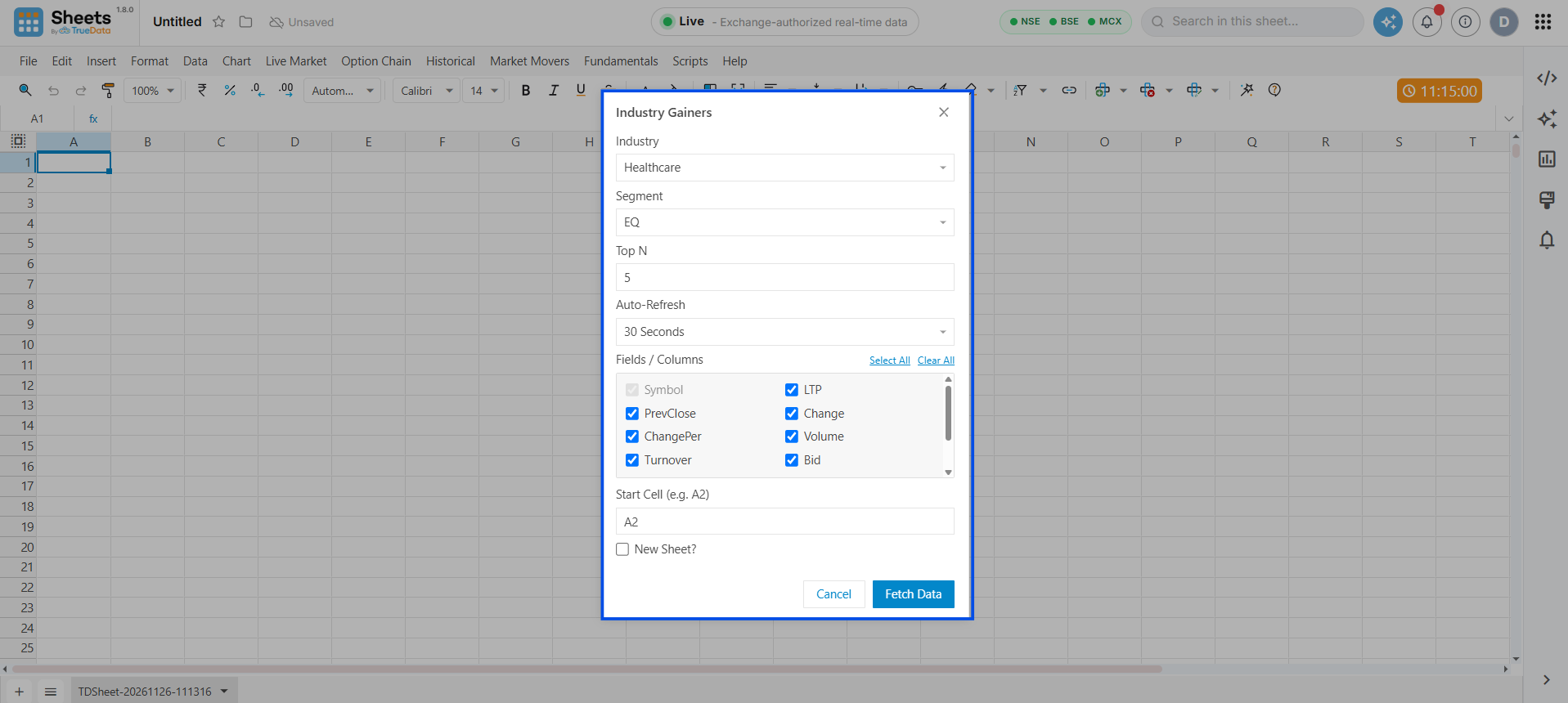
- Industry: pick from the dropdown, such as Diversified, Healthcare, Information Technology, Financial Services, Automobile and Auto Components, Oil Gas & Consumable Fuels, Capital Goods, Metals & Mining and more.
- Segment:
EQ(equity, default) orFUT(futures). - Top N: number of results to fetch (default
20). - Auto-Refresh, Fields / Columns, Start Cell, New Sheet?: see Common Options below.
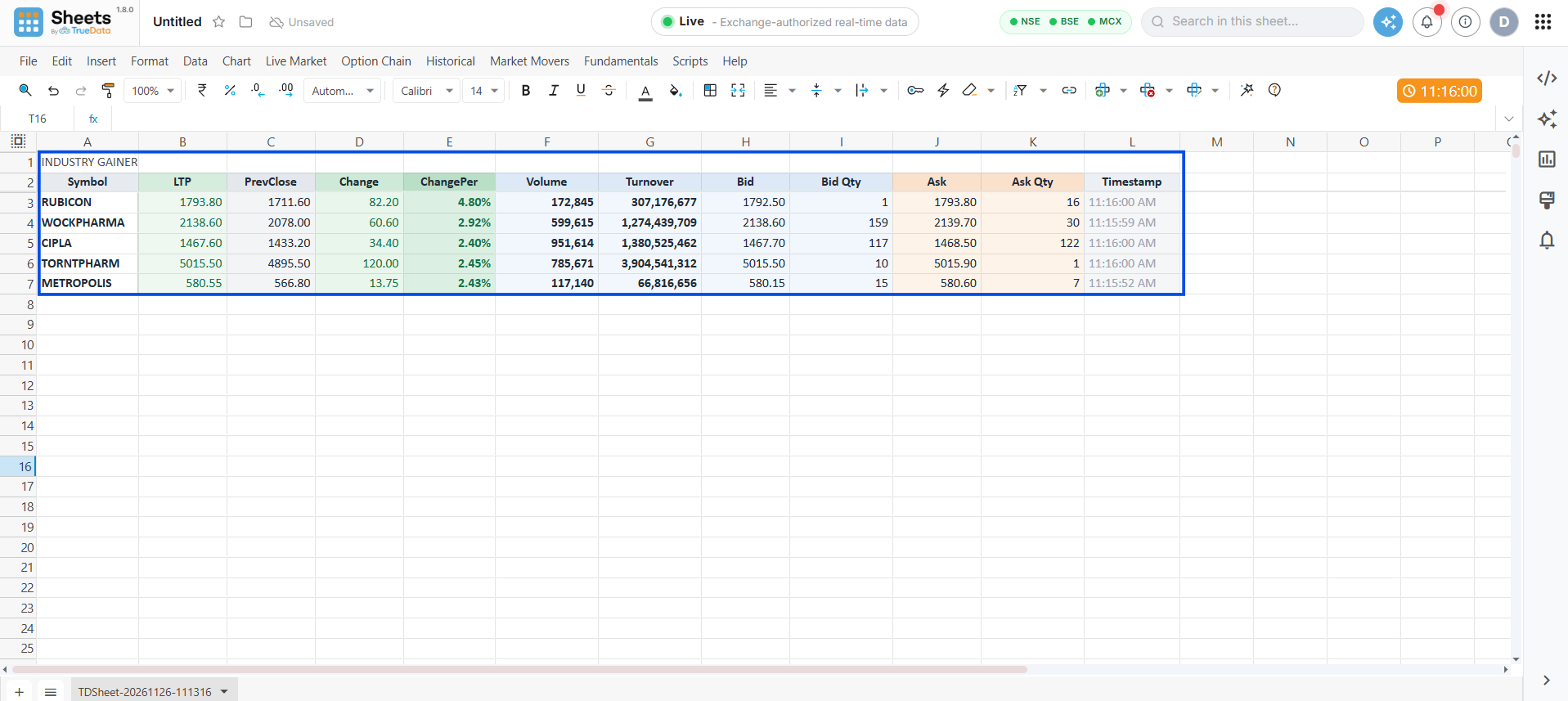
Always included: Symbol
Selected by default: LTP, PrevClose, Change, ChangePer, Volume
Optional: Turnover, Bid, Bid Qty, Ask, Ask Qty, Timestamp
Most Active By Turnover & Most Active By Volume
Both options open the same dialog. Most Active By Turnover ranks instruments by highest traded value; Most Active By Volume ranks them by highest traded quantity.
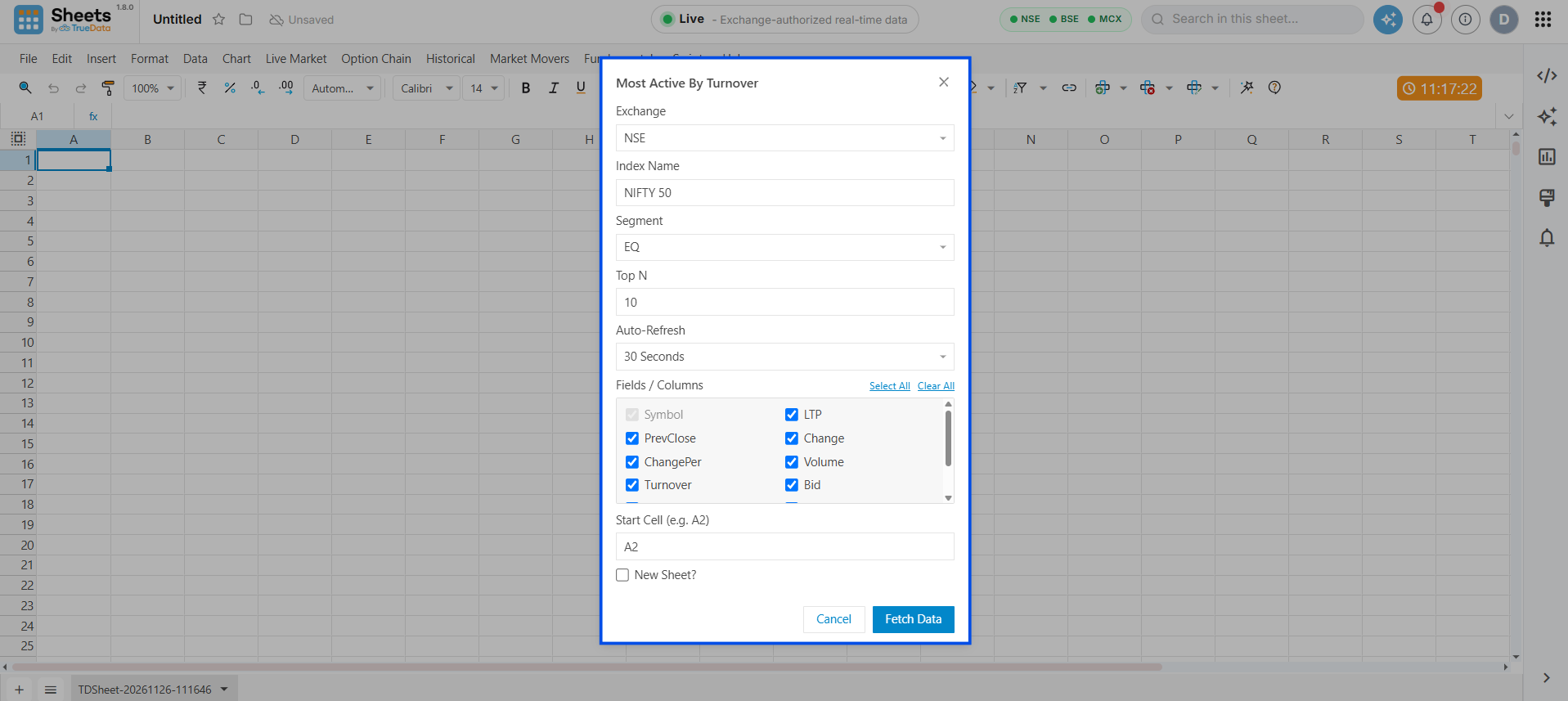
- Exchange:
NSEorBSE. - Index Name: type to search and select the index or symbol list to rank.
- Segment:
EQ(equity, default) orFUT(futures). - Top N: number of results to fetch (default
20). - Auto-Refresh, Fields / Columns, Start Cell, New Sheet?: see Common Options below.
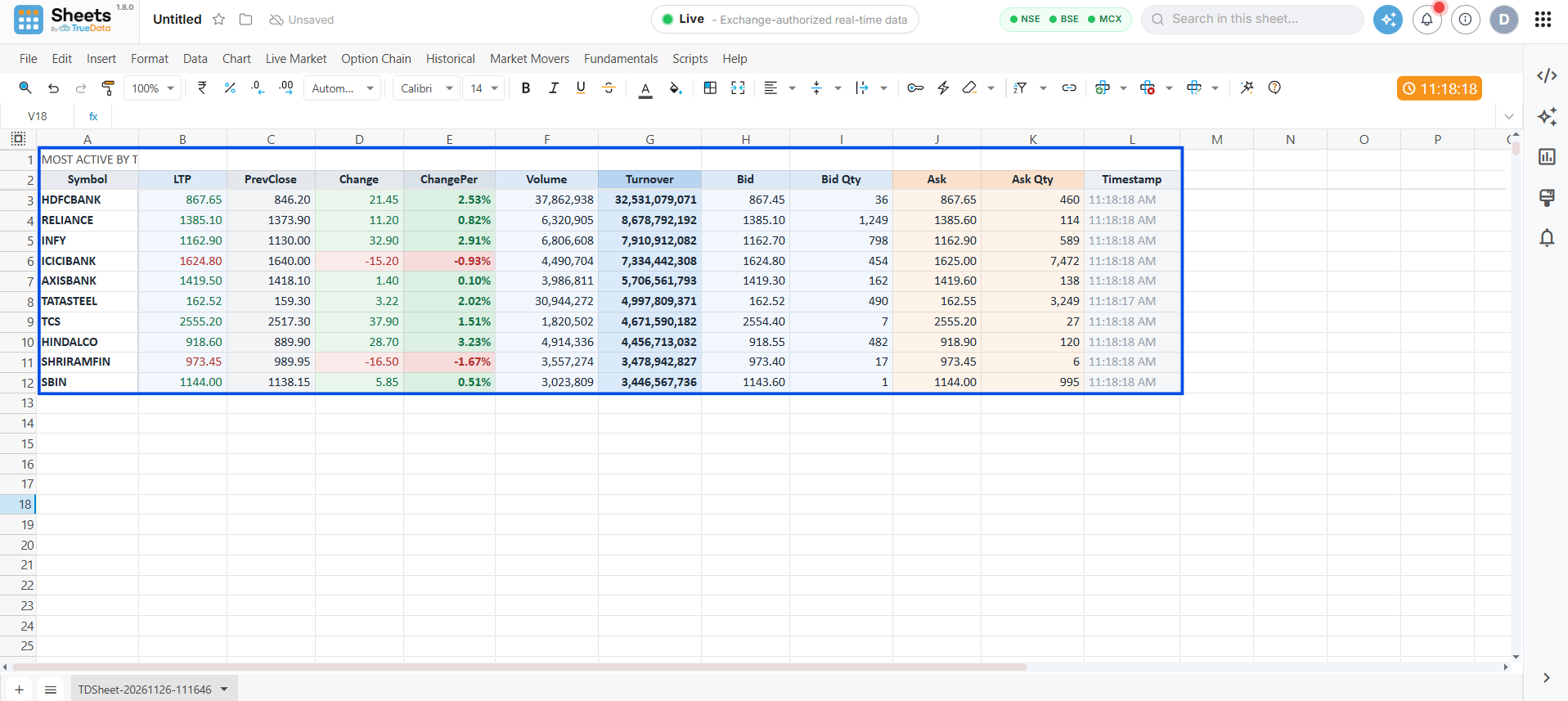
Always included: Symbol
Selected by default: LTP, PrevClose, Change, ChangePer, Volume, Turnover
Optional: Bid, Bid Qty, Ask, Ask Qty, Timestamp
Common Options
These options are available in every Market Movers dialog.
- Top N: number of results to fetch (default
20). - Auto-Refresh: keep No Refresh for a one-time load, or choose 30 Seconds, 1 Minute, 2 Minutes, 3 Minutes or 5 Minutes to update the data automatically.
- Fields / Columns: tick the columns you want. Symbol is always included and cannot be unchecked. Use Select All or Clear All to change every field at once, and scroll the list to see all fields.
- Start Cell: the cell where the table begins (default
A2). - New Sheet?: tick to load the results into a new sheet instead of the current one.
Sheets by Truedata
Empowering traders and analysts with high-performance real-time market data directly within their spreadsheets.
Resources
Support
© 2026 TrueData Market Data Services LLP. All rights reserved.