

No results for ""
Customization Guide
Text Formatting
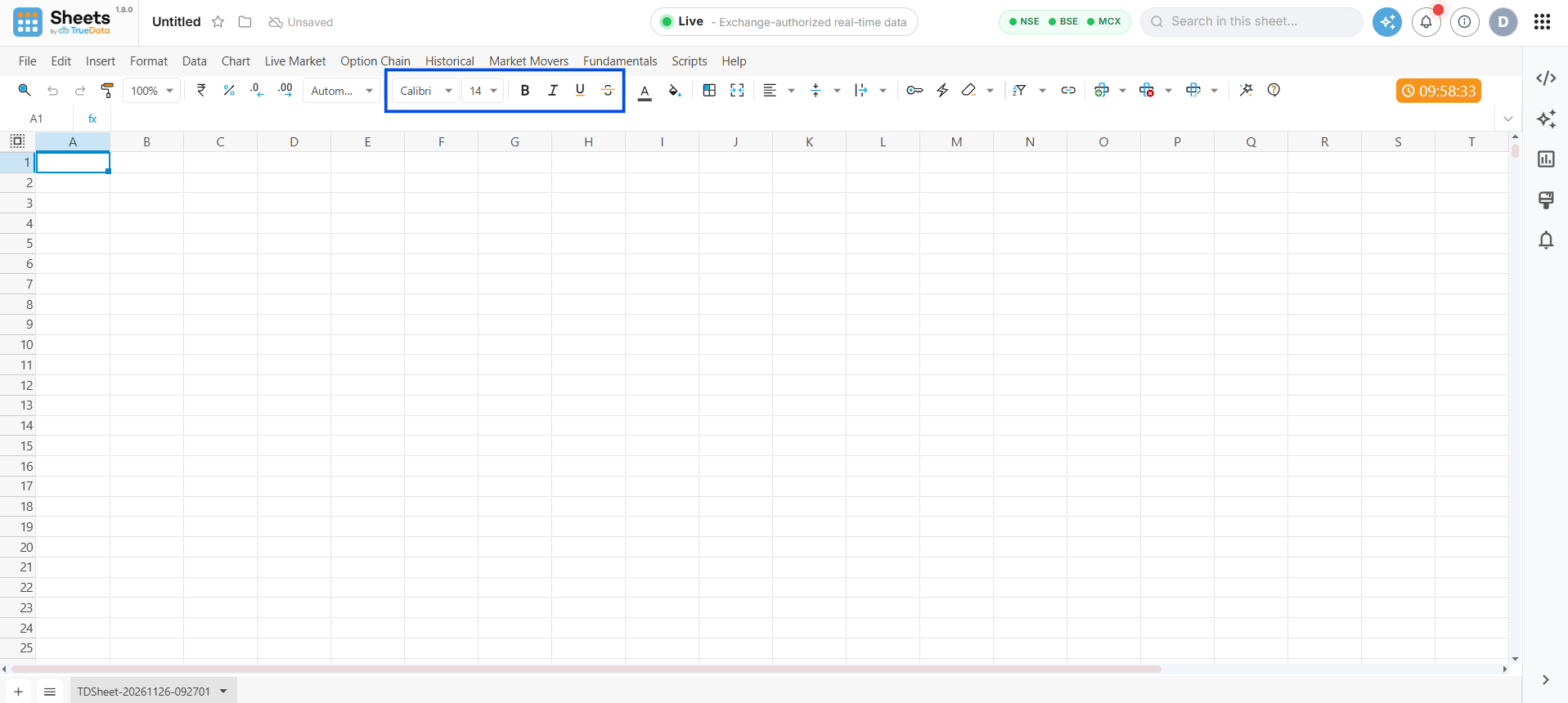
Bold / Italic / Underline
Apply B, I, U to selected cells via toolbar or Ctrl+B/I/U. Helps in emphasizing headers or important data points.
Font Size
Choose from preset sizes (8–72 px) or type a custom value in the font-size field in the toolbar to scale your text up or down for readability.
Font Family
Switch between system fonts including Inter, Roboto Mono, and default sans-serif from the font picker to match your brand or data presentation style.
Strikethrough
Mark cells as voided or deprecated with strikethrough styling. Useful for cancelled orders, completed tasks, or expired contracts.
Color & Fill
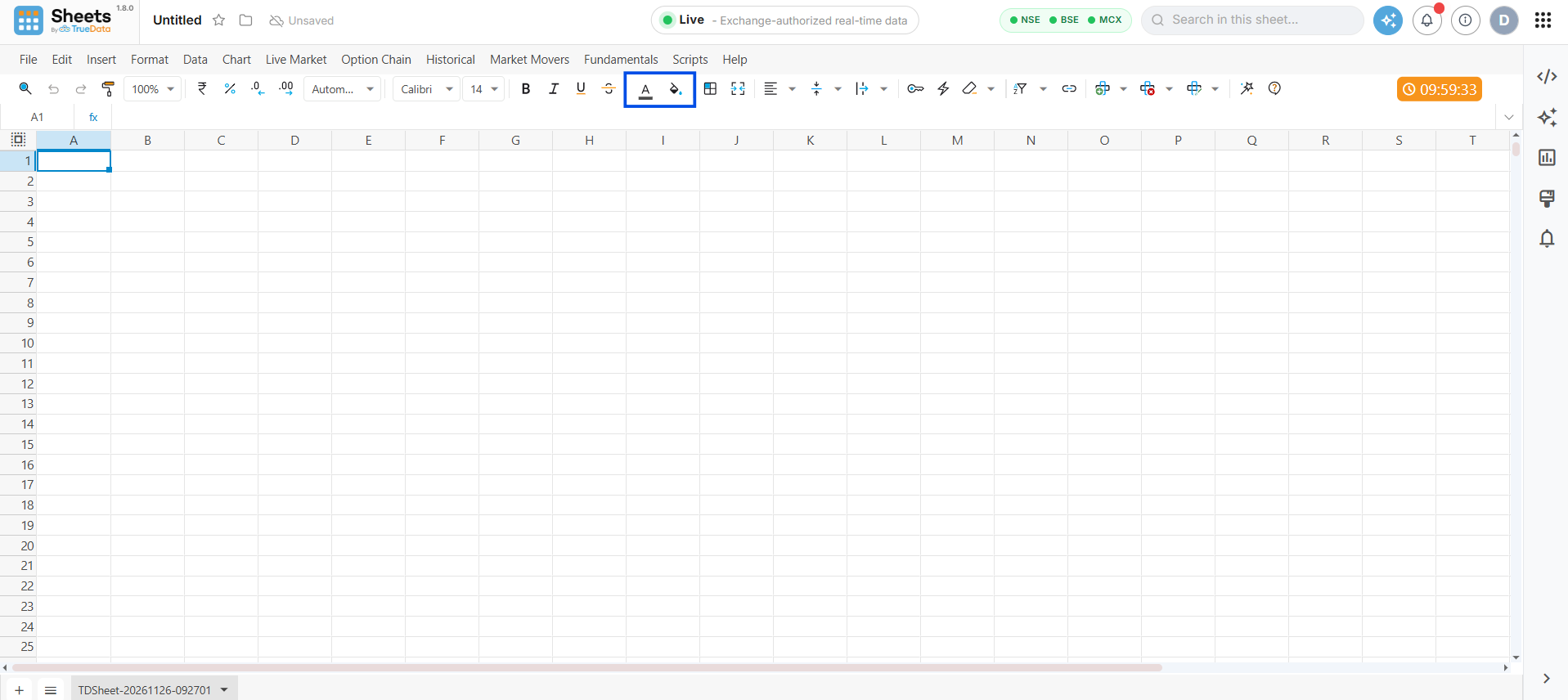
Font Color
Pick any color for cell text from the color palette or enter a hex value. Great for P&L indicating red/green colors based on values.
Cell Background
Fill any cell or range with a solid background color. Use light tints to create visual zones, highlight important rows, or alternate row colors.
Borders & Alignment
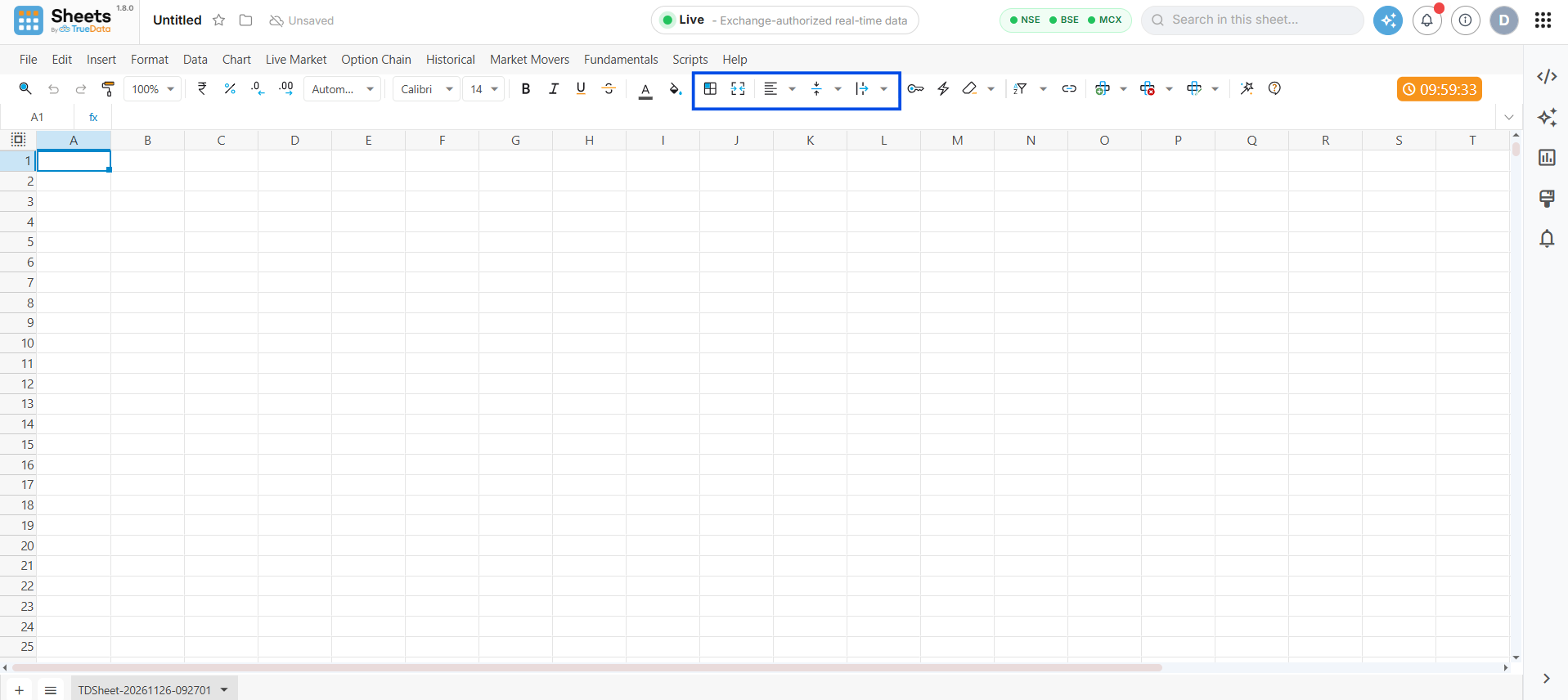
Border Style & Color
Apply all, outer, inner, top, bottom, left, or right borders. Choose solid, dashed, or dotted line styles. Set the color of any border edge independently to match your sheet's palette or use neutral gray for subtle grids.
Alignment (Horizontal & Vertical)
Horizontal: Align cell content Left, Center, or Right. Numbers default to right; labels default to left.
Vertical: Align content to Top, Middle, or Bottom of the cell. Especially useful in taller rows with wrapped text.
Text Wrap & Rotation
Wrap: Overflow, Wrap, or Clip long text within a cell. Wrap grows the row height automatically.
Rotation: Rotate cell text at any angle (0°–90°) or use stacked orientation. Ideal for compact column headers.
Merge Cells & Padding
Merge: Merge a selection into one cell (horizontally, vertically, or fully). Use for section titles spanning multiple columns.
Padding: Increase or decrease the indent level inside a cell to create hierarchy in label columns.
Data Formats
Select a cell or range, then open the format dropdown in the toolbar (it shows Automatic by default). Automatic and Text apply directly. Number, Currency, Percentage, Date, Time and Date & Time open a submenu with more options. The tables below follow the same order as the menu, and the sample column shows how a value looks after the format is applied.
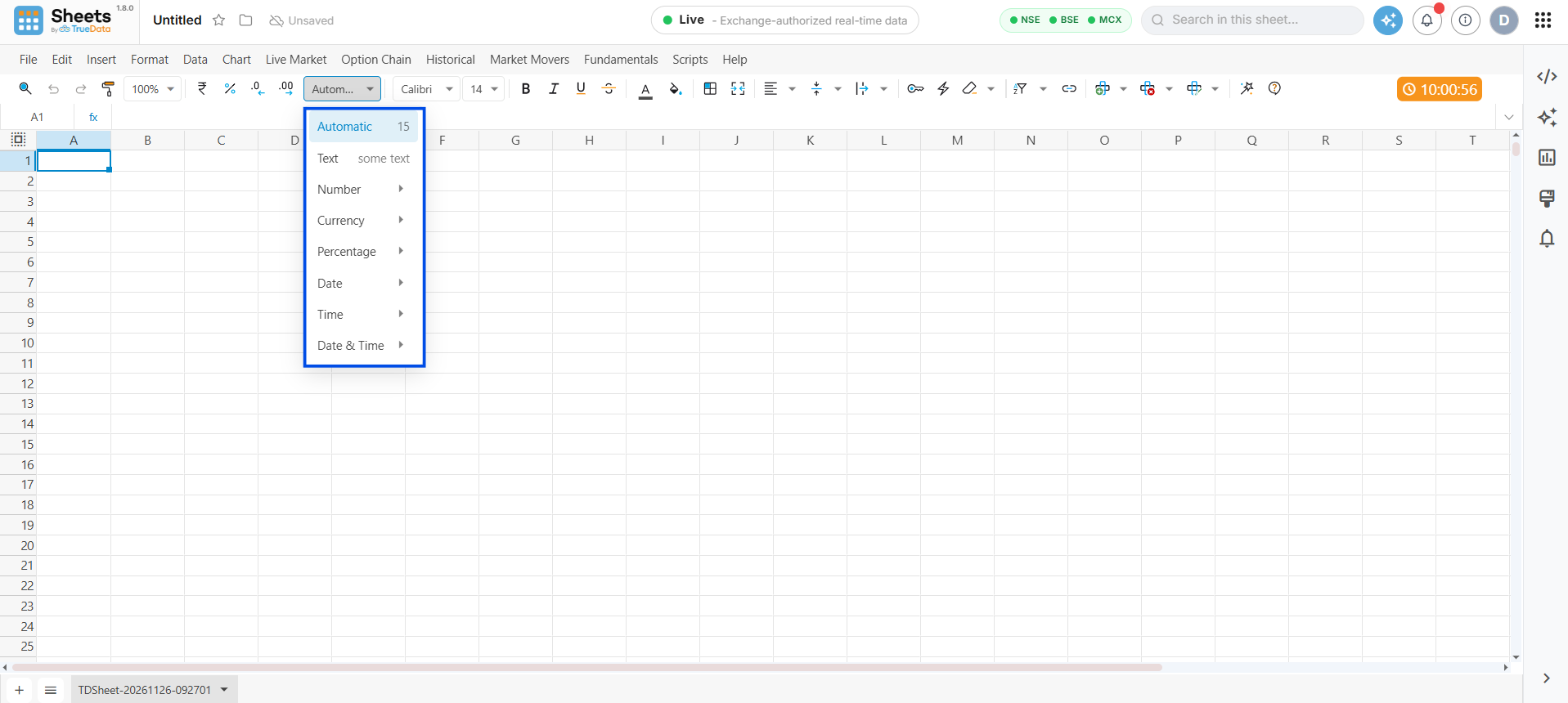
| Format | What it does | Sample |
|---|---|---|
| Automatic | Default. Detects the value type and shows it as-is. | 15 |
| Text | Treats the cell as plain text, even if it looks like a number. | some text |
Number
New: Indian Separator| Number (No Decimals) | 15 |
| Number (2 Decimals) | 15.00 |
| Number (3 Decimals) | 1130625.004 |
| Number (4 Decimals) | 1130625.0042 |
| Number (1000 Separator) | 1,130,625 |
| Number (1000 Sep, 2 Dec) | 1,130,625.00 |
| Number (1000 Sep, 4 Dec) | 1,130,625.0042 |
| Number (Indian Separator) New | 11,30,625 |
| Number (Indian Separator, 2 Dec) New | 11,30,625.00 |
The Indian Separator groups digits as lakhs and crores (11,30,625), while the 1000 Separator groups in thousands and millions (1,130,625).
Currency
| USD | $1,500.50 |
| USD, No Decimals | $1,501 |
| USD, 3 Decimals | $1,500.500 |
| INR | ?1,500.50 |
| INR, No Decimals | ?1,501 |
| Euro | €1,500.50 |
| Euro, No Decimals | €1,501 |
| GBP | £1,500.50 |
| JPY | ¥1,501 |
Percentage
| No Decimals | 15% |
| 1 Decimal | 15.0% |
| 2 Decimals | 15.00% |
| 3 Decimals | 15.003% |
| 4 Decimals | 15.0031% |
Date
| Short | 21/10/2021 |
| Short, US | 10/21/2021 |
| ISO | 2021-10-21 |
| Dashed | 21-10-2021 |
| Medium | 21-Oct-21 |
| Medium, Full Year | 21-Oct-2021 |
| Long | 21 October 2021 |
| Long, Weekday | Thursday, 21 October 2021 |
Time
| 12-hour | 01:30 PM |
| 12-hour with Seconds | 01:30:05 PM |
| 24-hour | 13:30 |
| 24-hour with Seconds | 13:30:05 |
Date & Time
| Short | 21/10/2021 13:30 |
| With Seconds | 21/10/2021 13:30:05 |
| 12-hour | 21-Oct-2021 01:30 PM |
| ISO | 2021-10-21 13:30:05 |
| Long | Thursday, 21 October 2021 01:30 PM |
Custom Format
Write your own format pattern. Use #,##0.00 for thousands or [Red]-#,##0 for negative values in red text. Increase or decrease decimal places (0–6) from the toolbar.
Format Painter
Copy all formatting from one cell and paint it onto another. Click once to apply once; double-click to lock and apply to multiple ranges. Press Esc to release.
Sheet Management
Double-click any sheet tab to rename it inline. Right-click to change tab color, duplicate the sheet, or protect specific ranges to prevent accidental edits.
Grid & View Controls
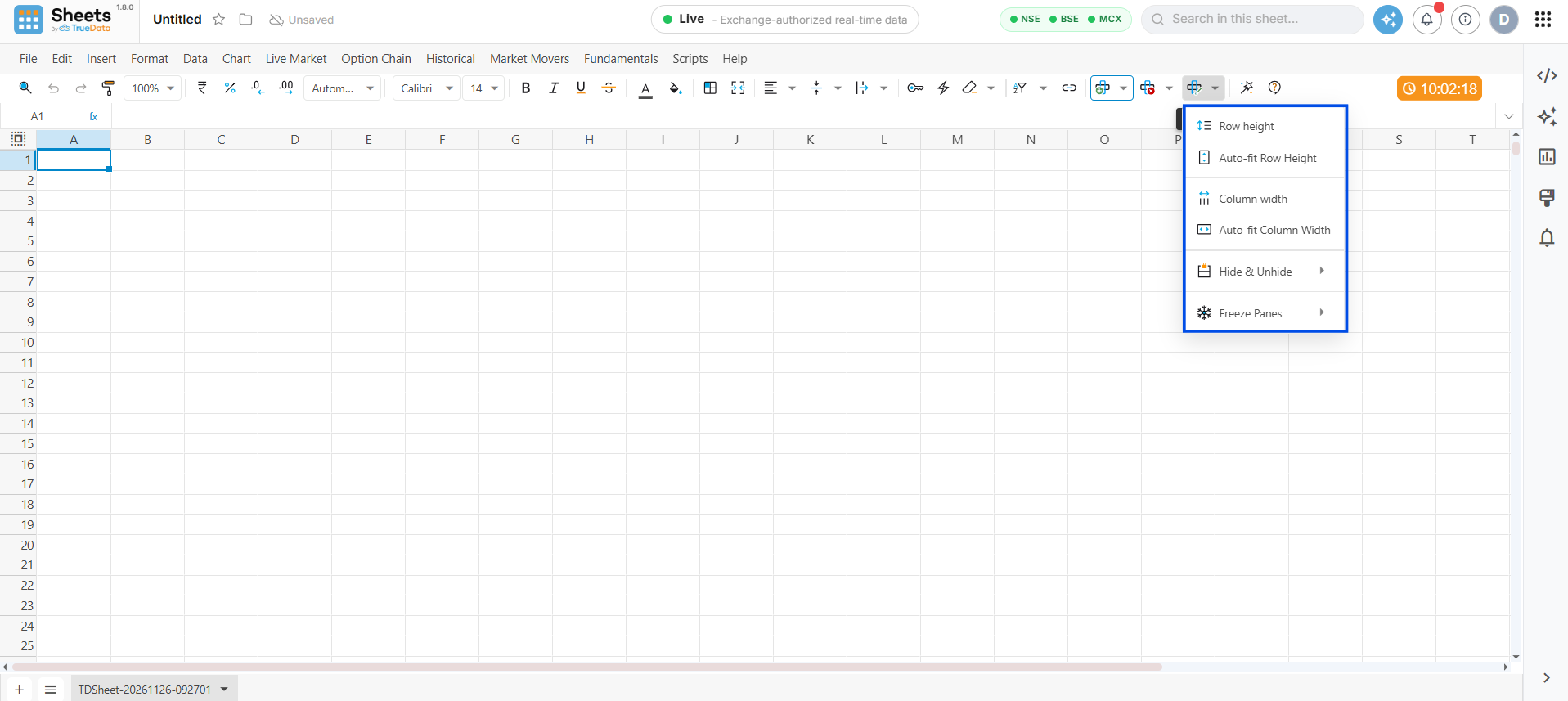
Rows & Columns Sizing
Drag borders to resize, or right-click to set exact pixel values. Double-click borders to auto-fit to content. You can also insert or delete rows/columns via right-click without breaking script references.
Freeze Panes
Pin top rows or leftmost columns so headers or symbols stay visible when scrolling large datasets. Access via View → Freeze.
Sort & Filter
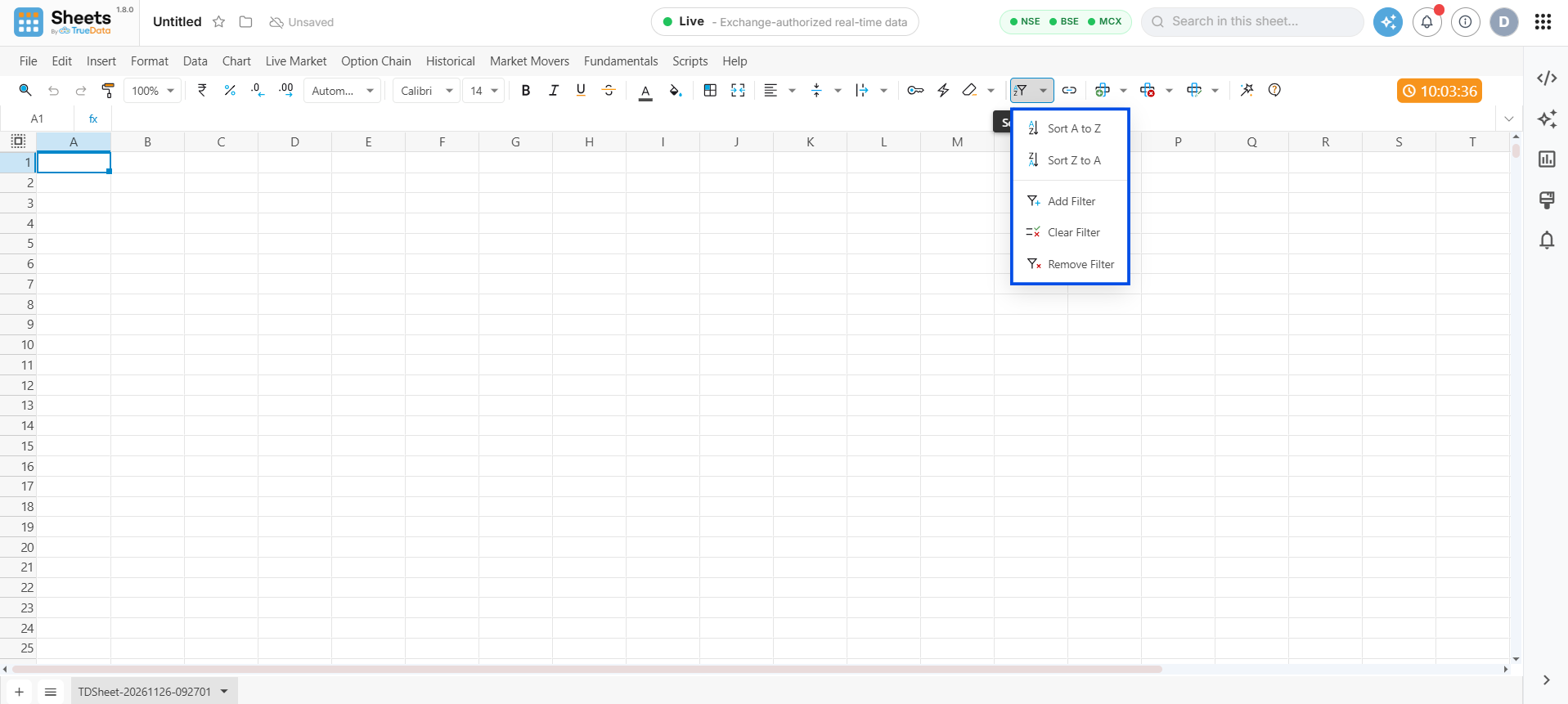
Sorting Data
Single-column: Click any column header's sort arrow to sort A→Z or Z→A.
Multi-column: Data → Sort range → sort by up to 3 columns in sequence (e.g. sort by Sector first, then Change%).
Filtering & Filter Views
Enable filter dropdowns on headers to show matching rows by value or condition. Type in the filter search box to quickly narrow down lists. Save Filter Views to switch between configurations (like FO vs Cash) without disturbing other users.
Sheets by Truedata
Empowering traders and analysts with high-performance real-time market data directly within their spreadsheets.
Resources
Support
© 2026 TrueData Market Data Services LLP. All rights reserved.